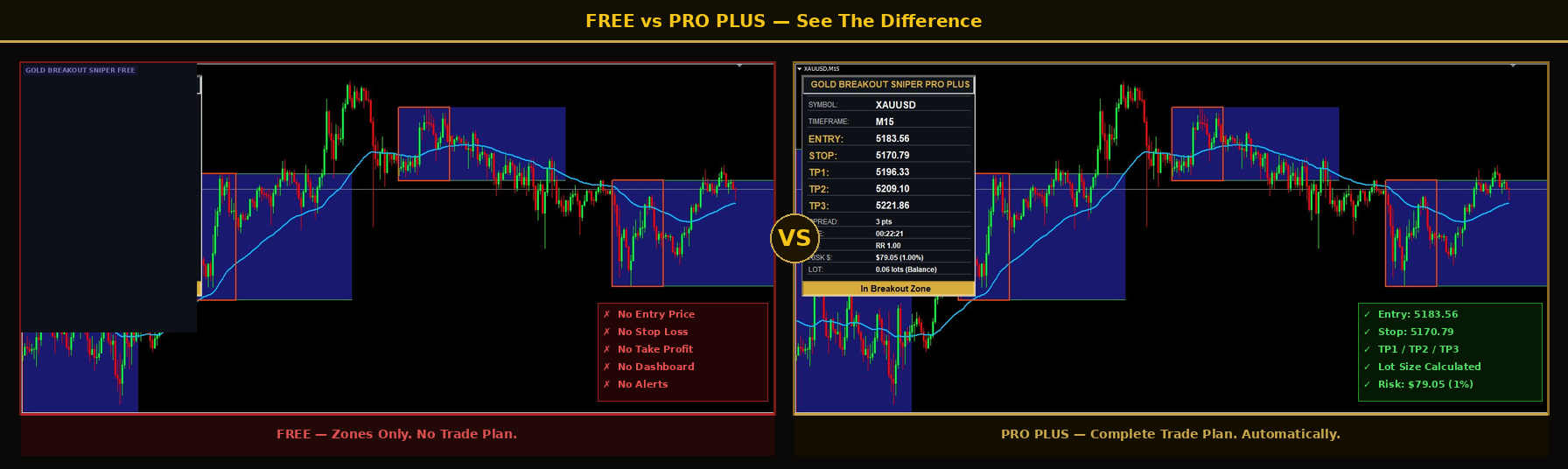
🔍 Click to enlarge
Download the indicator below, attach it to your XAUUSD M15 chart, and watch the breakout zones appear automatically. No settings to configure. No guesswork.
Open MT4. Go to File → Open Data Folder → MQL4 → Indicators. Copy the EX4 file into that folder. Restart MT4.
Copy the TPL file into the Templates folder inside your MT4 data folder. Open your XAUUSD M15 chart and apply the template.
The breakout zones will appear automatically on your chart. No settings needed. The indicator does the rest.
Click the button above to download your indicator package. Check your downloads folder after clicking.
P.S. — Once you see the zones forming on your chart, you will find yourself asking one question: where exactly do I enter? That is what Pro was built for.
The free indicator shows you the zone. That is step one. But when the breakout fires — you are on your own. No entry. No stop. No target. No idea how much to risk. Most traders freeze at exactly this moment. Pro solves that. Everything calculated. Right on your chart. Before you even think about clicking.
Gold Breakout Sniper Pro calculates your complete trade plan automatically — entry price, stop loss, and take profit target displayed right on your chart the moment the signal fires. No guessing. No manual calculations. No hesitation.
We have used and tested multiple brokers running this exact system on XAUUSD M15. The three below are the ones we trust — regulated, transparent, and known for fast withdrawals. Even if you already have a broker, it is worth asking whether they are working for you or against you. A second account with one of these costs nothing to open — and the welcome bonuses mean you can start with free capital.
Open a Micro Account with XM and receive $30 credited instantly — no deposit needed. Run the Gold Breakout Sniper on a live account from day one without risking a cent of your own money. Regulated across multiple jurisdictions. Withdrawals processed same day.
Also Trusted: